Contribute using NEFT-Procedure
1. Login to your Bank's Internet Banking Portal
2. Select the NEFT/ RTGS/ IMPS option
3. Add beneficiary details as follows and make your contribution:
1. Login to your BHIM App / Similar apps
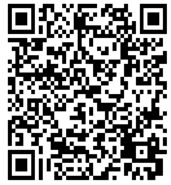
2. Add the UPI ID EzE0009031@CUB OR Scan the following QR Code & Make the contribution:
Enter the unique transaction number along with other details within THREE days of contribution to enable issue of e-receipt and prasadam in the form below.Please note that if you do not enter this, we will not be able to issue e-receipt or send prasadam.
Donation details (PLEASE FILL WITHOUT FAIL TO ENSURE THAT YOU GET E-RECEIPT AND PRASADAM)
On submitting this form, you will receive an email confirming form submission. On verification with bank that payment has been received, you will receive e-receipt by email and prasadam by post
If you are a regular donor, please create an account by clicking here